Thursday, June 25, 2015

X Error of Failed Request: BadFont (Invalid Font Parameter) in Unix

X Error of failed request:  BadFont (invalid Font parameter)


When I was trying to start WebSphere Developer Studio , faced the with below error. And this is very common error in UNIX. Because , there are many local and international languages.Its basically not able to find the respective font.

dev@jdg-developer-desktop /opt/IBM/WebSphereStudio/ApplicationDeveloper/v5.1.1 $ ./shortcut_wsappdev
Warning: locale not supported by C library, locale unchanged
X Error of failed request:  BadFont (invalid Font parameter)
  Major opcode of failed request:  55 (X_CreateGC)
  Resource id in failed request:  0x0
  Serial number of failed request:  180
  Current serial number in output stream:  184


You need to sure and make the language installed 

sudo apt-get install language-pack-en-base


Now reconfigure some local languages this is of Ubuntu (try with super user):

sudo dpkg-reconfigure locales


Now you can try your local language :

locale -a


Now you can set your expected language as per your requirement. I tried all and set in my Ubuntu Linux machine. It worked for me.

export LC_ALL="en.utf-8"


export LC_ALL="en_US"
export LANG="en_US"
export LANGUAGE="en_NZ"
export C_CTYPE="en_US"
export LC_NUMERIC=
export LC_TIME=en"en_US"

Find more here about locale.

Saturday, June 20, 2015

How to Decompile Java Class Files on Linux and Windows

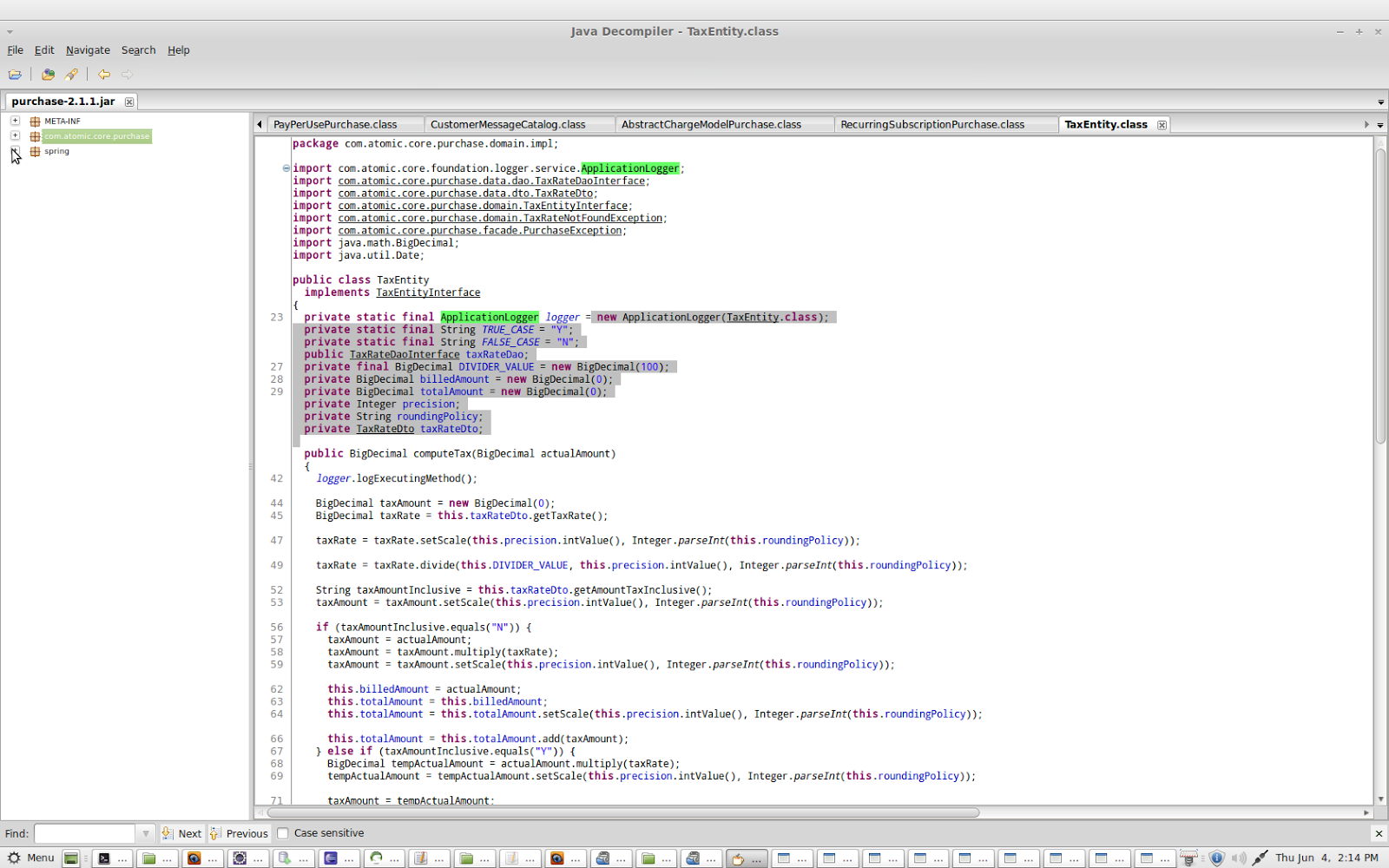
How to install graphical java de-compiler (jd-gui) ?

Really this is very basic and very useful when you want to de compile the existing old legacy code . I faced this kind of situation many times and did the same thing. I am sharing this because it may help you .

I am using Linux (Ubuntu Maya). But, you can try with any other Linux distributions even windows OS also. You need to download the 

Download from here.


You  need to download the.tar.gz file  ( jd-gui-0.3.5.linux.i686.tar.gz) for Linux. Then extract the file and go to jd-gui-0.3.5.linux.i686 folder. You can extact via below command else you can try by right+click on the file and extract.

tar -xvf jd-gui-0.3.5.linux.i686.tar.gz

Check there are such below files in that directory.

 
dev@jdg-developer-desktop ~/Downloads/jd-gui-0.3.5.linux.i686 $ ls -ltr
total 1100
drwx------ 3 dev dev    4096 Aug 29  2012 contrib
-rwxrwxr-x 1 dev dev 1111160 Oct 16  2012 jd-gui
-rw-r--r-- 1 dev dev    2462 Oct 16  2012 readme.txt
-rw-r--r-- 1 dev dev     317 Jun  4 14:15 jd-gui.cfg
dev@jdg-developer-desktop ~/Downloads/jd-gui-0.3.5.linux.i686 $ 

Execute the jd-gui and open the application :
dev@jdg-developer-desktop ~/Downloads/jd-gui-0.3.5.linux.i686 $ ./jd-gui  


You can import multiple jar files for de-compile and see the code.

Note - You may get some kind of library missing error , but it depends on you operating system.Whether you are using Fedora,Mint ,Cent Os or Ubuntu. So, you need to install the respective lib and need to update the OS terminal if required.You need to install the below extra libraries if its asking.

 sudo apt-get install libgtk2.0-0:i386 libxxf86vm1:i386 libsm6:i386 lib32stdc++6
I have fixed in my desktop, because of this missing lib I was getting some kind of library missing error. But you can fix this and TRY........Good Luck.